How to Detect SIM Swap Attempts
A SIM swap happens when a criminal gets your mobile number moved to a different SIM card or device without your permission. Once this happens, your phone may suddenly stop receiving calls, texts, and mobile service, while the attacker may receive messages intended for you. This matters because many online accounts still use SMS codes for login or password recovery. According to the FBI's Internet Crime Complaint Center (IC3), it received 1,611 SIM swap complaints in 2021, with reported adjusted losses of more than $68 million. More recent IC3 reports recorded 982 SIM swap complaints in 2024 and 971 in 2025.
What Is a SIM Swap?
A SIM swap is an unauthorised transfer of your mobile number to another SIM controlled by someone else. Your original SIM may stop working, while the attacker receives calls and SMS messages sent to your number. The attack is also sometimes called SIM swapping or SIM card hijacking. The goal is usually not the SIM card itself. Criminals want control of the phone number because it can help them receive verification codes and recover accounts.
The Federal Trade Commission explains that scammers may convince a mobile provider to activate a new SIM connected to the victim's number. If successful, the criminal can receive calls, texts, and SMS verification codes meant for the real account holder.
How SIM Swap Attacks Generally Happen
A SIM swap scam usually starts with information gathering. Criminals may collect personal details from data breaches, social media, phishing messages, or other sources. They can then use those details while attempting to convince a mobile provider that they are the legitimate account holder.
The attacker may try to get the number transferred to a SIM or device they control. The exact process varies by mobile provider, so there isn't one procedure that applies everywhere. The important point is that the attacker is trying to take control of your phone number.
The FBI says SIM swapping can involve social engineering, phishing, or other methods used to persuade a mobile carrier to transfer a victim's number. The FCC also distinguishes SIM swapping from port-out fraud, where a number is transferred to an account with another carrier.
Why Criminals Target Mobile Numbers
Your phone number can be connected to several important accounts. Email, banking, social media, shopping, and other services may use SMS messages for verification or password recovery.
If a criminal gains control of the number, they may receive messages that were supposed to reach you. This doesn't automatically give them access to every account, but it can create another path for account takeover when combined with stolen passwords or other information.
The FTC warns that SMS verification may not stop a SIM swap. For sensitive accounts, it recommends considering stronger authentication methods such as an authentication app or security key.
4 Signs Your SIM Card Has Been Swapped
One warning sign doesn't always prove that a SIM swap has happened. A network outage, damaged SIM, device problem, or carrier issue can also cause similar symptoms. However, several unexpected changes together deserve immediate attention.
1. Your Phone Suddenly Shows No Service
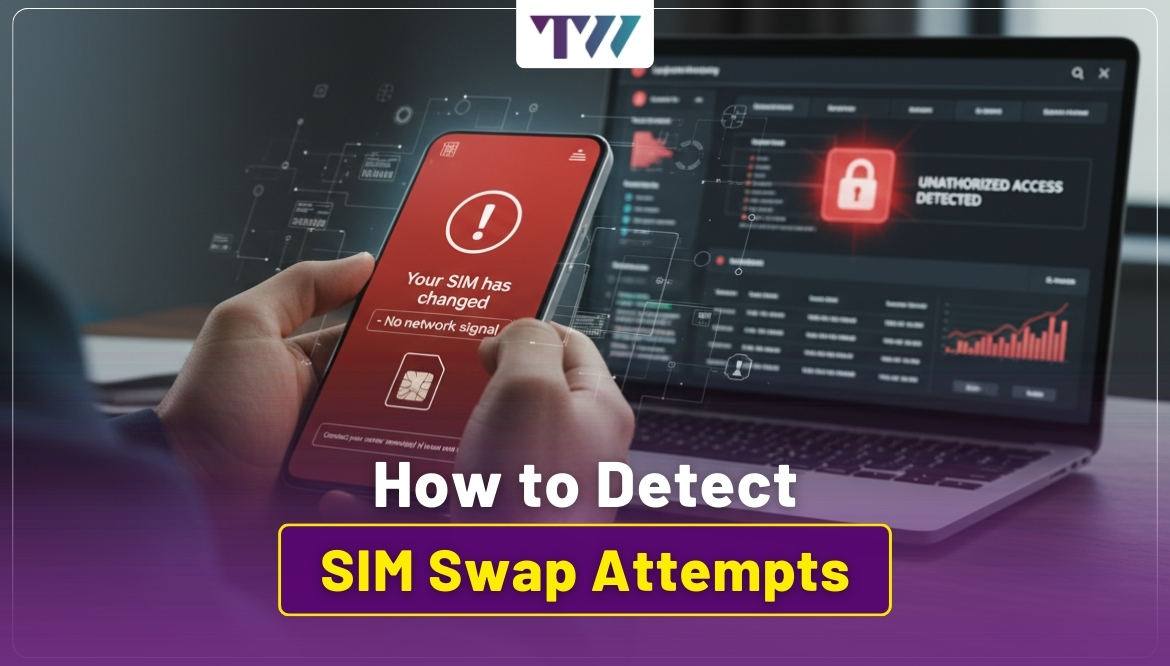
A sudden loss of mobile service is one of the most important warning signs. If your phone normally works in the same location but suddenly shows "No Service" or stops connecting to the network, check what is happening. CERT-In specifically advises users to report a sudden loss of service immediately because it may indicate a SIM swap attempt.
2. Calls and SMS Messages Stop Arriving
You may notice that normal calls and text messages no longer reach your phone. This is especially concerning when other people say they have contacted you but your device received nothing. Don't assume the issue is simply a temporary network problem if the loss continues without an obvious reason.
3. OTPs Suddenly Stop Arriving
If SMS-based OTPs suddenly stop arriving while you still have internet access and other phone functions work, investigate the issue. A missing OTP alone doesn't confirm SIM swap fraud. The service itself could be experiencing a delay. But missing OTPs combined with loss of mobile service should be treated as a warning.
4. You Receive an Unexpected SIM Activation Alert
A notification saying that your number has been activated on another SIM or device is a serious warning if you didn't request the change. Contact your mobile provider through its official support channel immediately. Don't use a phone number supplied by a suspicious message.
Other Account Warning Signs to Watch
A SIM swap may become more obvious when unusual activity appears on other accounts. Watch for:
- Password reset emails you didn't request
- Login alerts from unfamiliar devices
- Unexpected changes to account recovery details
- Bank notifications for transactions you don't recognise
- Social media password or email changes
- New devices appearing in account security settings
- Messages about security changes you didn't make
The combination of mobile service loss and unexpected account activity is more concerning than either event alone.
How to Know If Someone Swapped Your SIM
The quickest way to confirm a suspected SIM swap is to contact your mobile provider through an official channel. Ask whether a SIM replacement, eSIM activation, or number transfer was recently requested on your account. Your carrier can tell you whether there has been a change involving your number, although the available information and verification process will vary by provider.
You should also check important accounts for recent security events. Look at your email, banking, social media, and other sensitive accounts for password changes, new devices, recovery changes, or transactions you don't recognise. RBI guidance also advises users to watch for prolonged loss of mobile network access and contact their mobile operator to check whether a duplicate SIM has been issued for their number.
What to Do If You Suspect a SIM Swap
Act quickly rather than waiting to see whether the service returns.
Contact Your Mobile Carrier
Use the carrier's official app, website, or verified customer service number. Explain that you suspect an unauthorised SIM change or number transfer. Ask the provider to help restore control of your number and secure the mobile account. The exact steps will depend on the carrier.
Secure Your Email Account
Your email account is particularly important because it can be used to reset other passwords. If you can still access it, change the password to a strong, unique one. Review recent login activity and recovery settings. Remove unfamiliar devices or recovery methods where the service allows it.
Protect Financial Accounts
Check your bank and payment accounts for unusual transactions, password changes, or new activity. Contact the financial institution directly if anything looks unfamiliar. The FTC recommends checking bank and credit card accounts after a suspected SIM swap and reporting unauthorised activity to the relevant institution.
Review Other Important Accounts
Check social media, shopping, cloud storage, and other accounts connected to your phone number. Change passwords where necessary and review active sessions, recovery information, and security alerts.
How to Reduce the Risk of SIM Swap Fraud
Prevention starts with limiting the information criminals can use against you.
Add a Carrier Account PIN
If your mobile provider offers an account PIN or password, set one up. This can add another verification layer against unauthorised account changes. Availability and procedures vary by carrier.
Use Strong, Unique Passwords
Don't reuse the same password across your email, banking, social media, and other accounts. A password manager can help you create and store different passwords.
Use an Authenticator App or Passkey
SMS-based authentication has limitations because a criminal who controls your number may receive the verification code. Where supported, consider an authenticator app, security key, or passkey instead.
Limit Personal Information Online
Avoid sharing unnecessary personal details publicly. Information such as your full name, phone number, address, or other identifying details may help criminals build convincing stories.
Review Security Alerts
Pay attention to unexpected login, password reset, and account-change notifications. Early awareness can give you more time to respond before an attacker gains wider access.
Why SMS OTPs Have Limitations
SMS OTPs are convenient, but they depend on control of your phone number. If that number is transferred to another SIM, the person controlling the new SIM may receive future SMS messages.
This doesn't mean SMS authentication is useless. It can still provide protection against some threats. However, for accounts containing financial or highly sensitive information, stronger options may be available. The FTC specifically notes that text-message verification may not prevent a SIM card swap and suggests considering authentication apps or security keys when stronger protection is needed.
What to Check After Recovering Your Number
Getting your number back is an important step, but don't stop there. A SIM swap may have been used as part of a wider attempt to access your accounts. Use this checklist:
- Check your email for password reset messages.
- Review bank and card transactions.
- Check account login and device history.
- Remove unknown recovery options.
- Change passwords for important accounts.
- Replace SMS-based authentication where possible.
- Review social media and cloud account activity.
- Keep records of suspicious alerts or transactions.
If you find financial fraud, contact the relevant bank or financial institution immediately.
How to Prevent Future SIM Swap Attempts
There is no single setting that can guarantee that a SIM swap will never happen. The better approach is to reduce the amount of information available to criminals and add stronger protection around your mobile and online accounts.
Keep your carrier account protected with a PIN or password where available. Use unique passwords and stronger authentication methods for important accounts. Avoid sharing sensitive information with unexpected callers, texts, or emails. RBI advises users not to share critical information such as passwords, PINs, or OTPs and has specifically warned about SIM-swapping fraud.
Wrapping Up
Knowing how to detect SIM swap attempts can help you respond before a mobile number takeover leads to wider account problems. Sudden loss of service, missing SMS messages, stopped OTPs, unexpected SIM alerts, and unfamiliar account activity are important warning signs, but none should be treated as proof on its own.
If several signs appear together, contact your mobile provider immediately and check your important accounts. Strong, unique passwords, carrier account protection, and safer authentication methods can also reduce future risk. The key is to act quickly, verify information through official channels, and never share OTPs, passwords, PINs, or other sensitive details with someone who contacts you unexpectedly.
FAQs
1. How do I know if someone swapped my SIM?
Check whether your phone suddenly loses mobile service, stops receiving calls or SMS messages, or shows an unexpected SIM activation notice. Then contact your carrier through an official channel to confirm whether a SIM change occurred.
2. What should I do if my SIM has been swapped?
Contact your mobile carrier immediately and ask them to restore control of your number. Then secure your email, banking, and other important accounts, change compromised passwords, and review them for unusual activity.
3. Can a SIM swap bypass SMS authentication?
Yes, if a criminal gains control of your mobile number, they may receive SMS verification codes intended for you. This is why an authenticator app, security key, or passkey can provide stronger protection where supported.
4. How can I reduce the risk of SIM swap fraud?
Set a carrier account PIN or password where available, use strong unique passwords, limit personal information shared online, monitor security alerts, and choose stronger authentication methods instead of SMS when possible.
Share
Tweet
Pin it
Latest Blog Post
Read Our blogs to be updated with latest deals and trends.